
Gaming tutorials can save players a lot of time, especially when they get stuck on a difficult mission or can’t figure out how a particular game mechanic works.
A good guide explains what to do without making the process more confusing. It should feel like advice from another player who knows the game and wants to help.
Writing one isn’t always as simple as it sounds. You need to understand the game, know what readers are looking for, and explain each step clearly. Here are some practical tips for creating gaming tutorials that people will actually find useful.
1. Know Who You’re Writing For
Before you start writing, consider the experience level of your readers. Someone playing a game for the first time will probably need basic explanations, while experienced players may be looking for advanced strategies or hidden features. Trying to address both groups in the same way can make your tutorial difficult to follow.
If your audience includes beginners, start with the basics. Explain the controls, objectives, important characters, and main mechanics before getting into more complicated topics. Don’t assume that everyone knows gaming terminology or understands how a particular feature works.
For more experienced players, focus on specific challenges. They might want to learn how to defeat a boss, find a hidden location, improve their character build, or complete a mission faster.
Give them the information they’re looking for instead of spending too much time explaining things they already know.
2. Divide the Tutorial Into Simple Steps
Nobody wants to read a huge paragraph explaining ten different actions at once. When instructions are mixed together, players can easily miss something important. Breaking the process into smaller steps makes the guide much easier to use.
For example, if you’re writing about defeating a difficult boss, explain how to prepare before the fight, recognize attack patterns, avoid damage, and find the right moment to strike.
Give each part its own heading or numbered step. This also makes it easier for readers to return to a particular section when they need help.
Try to keep each instruction focused on one action. If players need to complete several tasks in a specific order, explain that order clearly.
A little extra organization can make the difference between a guide that helps and one that leaves readers even more confused.
3. Add Screenshots and Videos
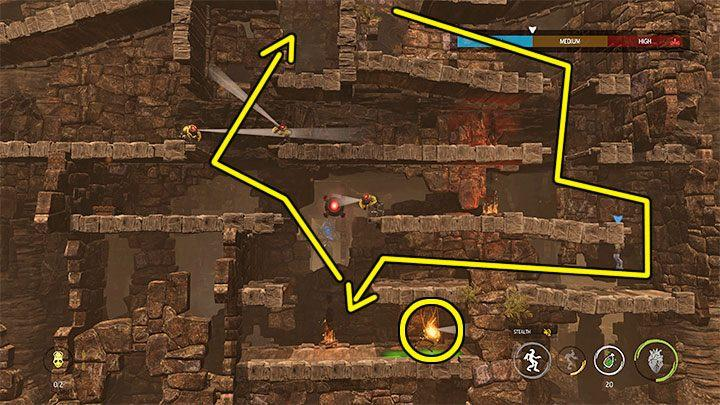
Some things are simply easier to show than explain. A screenshot can point out a hidden door, show where an item is located, or help players find a setting in the game menu. Without visuals, readers may struggle to understand exactly what you’re describing.
Choose screenshots that match the instructions in your article. If you’re explaining where to find a particular item, show its location rather than adding a random gameplay image. You can also use arrows or simple highlights to draw attention to important details.
Videos are useful when timing and movement matter. For example, explaining a complicated combat combination might take several paragraphs, while a short gameplay clip can demonstrate it in seconds.
You can include both written instructions and video examples so readers can choose whichever format they prefer.
4. Explain Gaming Terms Without Making Things Complicated
Gaming communities have their own language, and regular players are familiar with expressions that beginners might not understand.
Terms like NPC, cooldown, hitbox, respawn, and skill tree appear in many guides. Using them is fine, but explain unfamiliar terms when they first appear.
For example, an NPC is a character controlled by the game rather than another player. A cooldown is the amount of time a player must wait before using a particular ability again. These short explanations help beginners follow the tutorial without having to search for every unfamiliar word.
Also, avoid using complicated descriptions when a simple sentence will do. You don’t need to explain every mechanic in technical language. Focus on what happens, why it matters, and how players can use that information during gameplay.
5. Make Your Writing Sound Natural
A gaming tutorial shouldn’t read like a technical manual. Readers usually want practical advice, examples, and explanations that get straight to the point. Sharing observations from your own gameplay can also make the article more interesting.
If you use AI tools to prepare an initial draft, take the time to edit it. AI-generated writing sometimes repeats the same ideas or uses phrases that don’t sound natural in a gaming context.
A tool like Clever AI Humanizer can help writers humanize AI content and make their drafts sound more conversational.
Still, no tool can replace actual gaming experience. Add details about what worked for you, mention mistakes you made, and explain anything that might catch a player off guard. Those details are what make a guide worth reading.
6. Check Every Instruction Before Publishing
An incorrect instruction can make an entire tutorial useless. Imagine following a guide to find a rare item, only to discover that the directions are wrong. Players won’t be happy about wasting their time, so it’s important to test everything before publishing.
Go through the steps yourself and check that the instructions match the current version of the game. Pay attention to platform differences, too.
Controls and menus can vary between PC, PlayStation, Xbox, and Nintendo systems, so mention which platform your instructions cover.
If an explanation feels confusing, try rewriting it in simpler language. A paraphrase tool can help you find another way to express an instruction while keeping the original meaning. Just make sure the revised version still describes the correct action.
7. Make the Article Easy to Navigate
Players don’t always read gaming tutorials from beginning to end. Sometimes they open a guide because they’re stuck at one particular point and want an answer immediately. That’s why headings and clear formatting matter.
Use headings that describe exactly what readers will find in each section. For longer walkthroughs, add a table of contents so players can jump to the relevant mission or challenge.
Numbered lists are useful for instructions, while bullet points work well for equipment recommendations, tips, and things to avoid.
Before publishing, read the article once more and check for spelling, punctuation, and awkward sentences. A grammar checker can help catch mistakes that are easy to overlook during editing. Clean writing makes the guide easier to understand and gives readers a better experience.
Final Thoughts
The best gaming tutorials don’t need complicated explanations or pages of unnecessary information. They need to answer a question, show players what to do, and make each step easy to understand.
Take time to test your instructions, include screenshots where they help, and write as if you’re explaining the game to another player.
If readers can follow your guide without getting lost, you’ve done your job. And if they come back to use it again, even better.